TL;DR – Key Takeaways
- AI-powered automation is transforming Google Ads with tools like AI Max for Search, Smart Bidding Exploration, and Asset Studio—enabling advertisers to reach audiences more effectively while reducing manual campaign management time by up to 40%.
- Performance Max campaigns have evolved from a ‘black box’ to a transparent, controllable platform with campaign-level negative keywords, brand exclusions, device targeting, search term reporting, and channel performance insights—making it a must-test strategy for 2026.
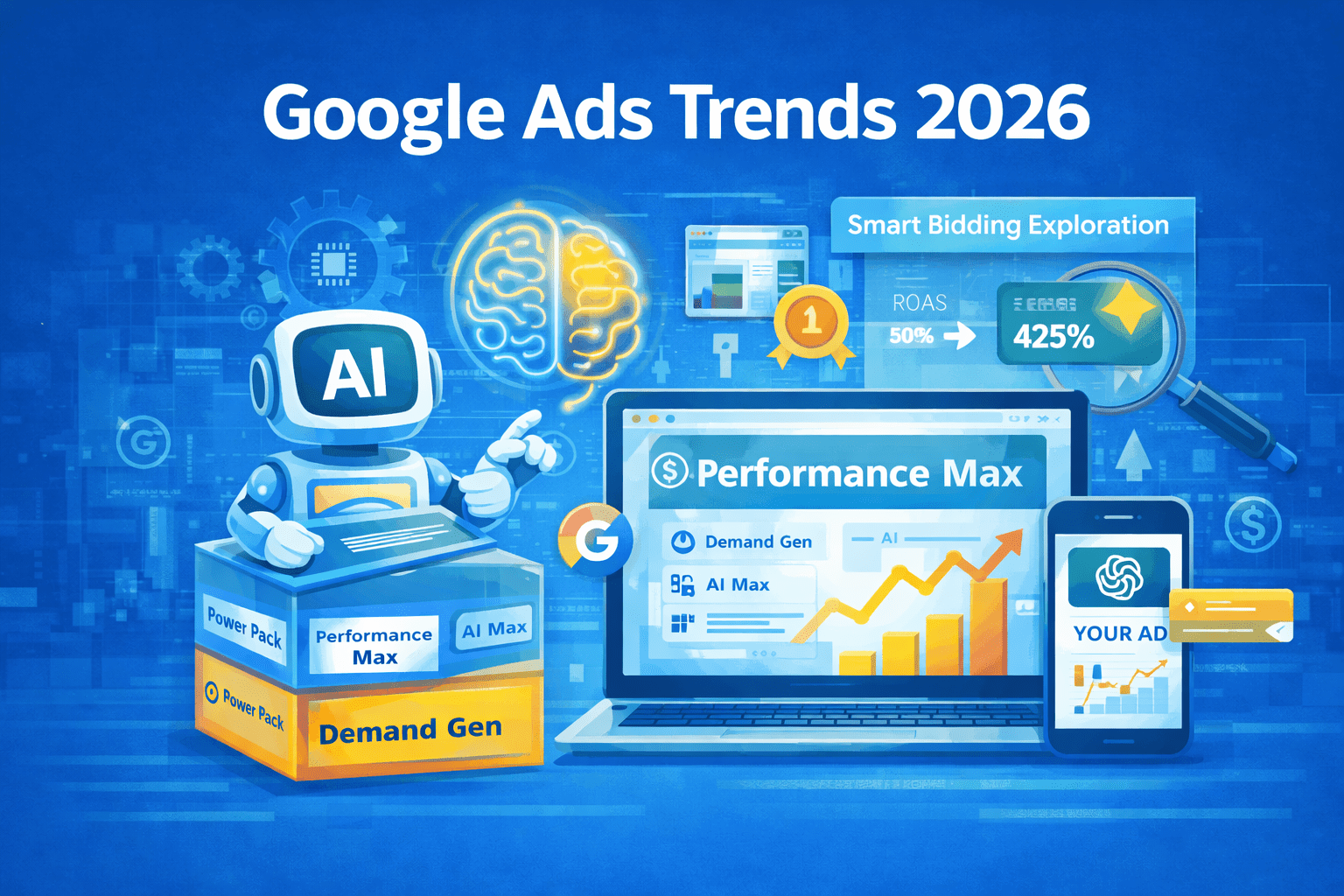
- The Google Power Pack strategy (Performance Max + Demand Gen + AI Max) represents the future of full-funnel advertising, with early adopters reporting 25-35% improvements in conversion rates when properly implemented across all three campaign types.
- AI Overviews and AI Mode are reshaping search behavior, requiring advertisers to optimize for answer-engine placements by using automated solutions, maintaining high ad relevance scores, and aligning creative assets with AI-generated content contexts.
The landscape of Google Ads has undergone its most significant transformation in years. As we move through 2026, the platform continues to evolve at an unprecedented pace, driven by artificial intelligence, automation, and changing user search behaviors. For digital marketers and PPC specialists, staying ahead of these Google Ads trends isn’t just about maintaining a competitive advantage—it’s about survival in an increasingly automated advertising ecosystem.
This comprehensive guide breaks down the 15 most critical Google Ads trends and updates that emerged in 2025 and will shape your advertising strategy throughout 2026. Whether you’re managing a small business account or overseeing enterprise-level campaigns, these insights will help you optimize your Google Ads performance, reduce wasted ad spend, and maximize ROI in the AI-first advertising era.
What makes this guide different?
Unlike basic update roundups, we provide actionable implementation strategies, real-world performance data, and expert recommendations for each trend. You’ll learn not just what changed, but exactly how to leverage these changes for competitive advantage.
1. The Google Power Pack Strategy: Full-Funnel Domination
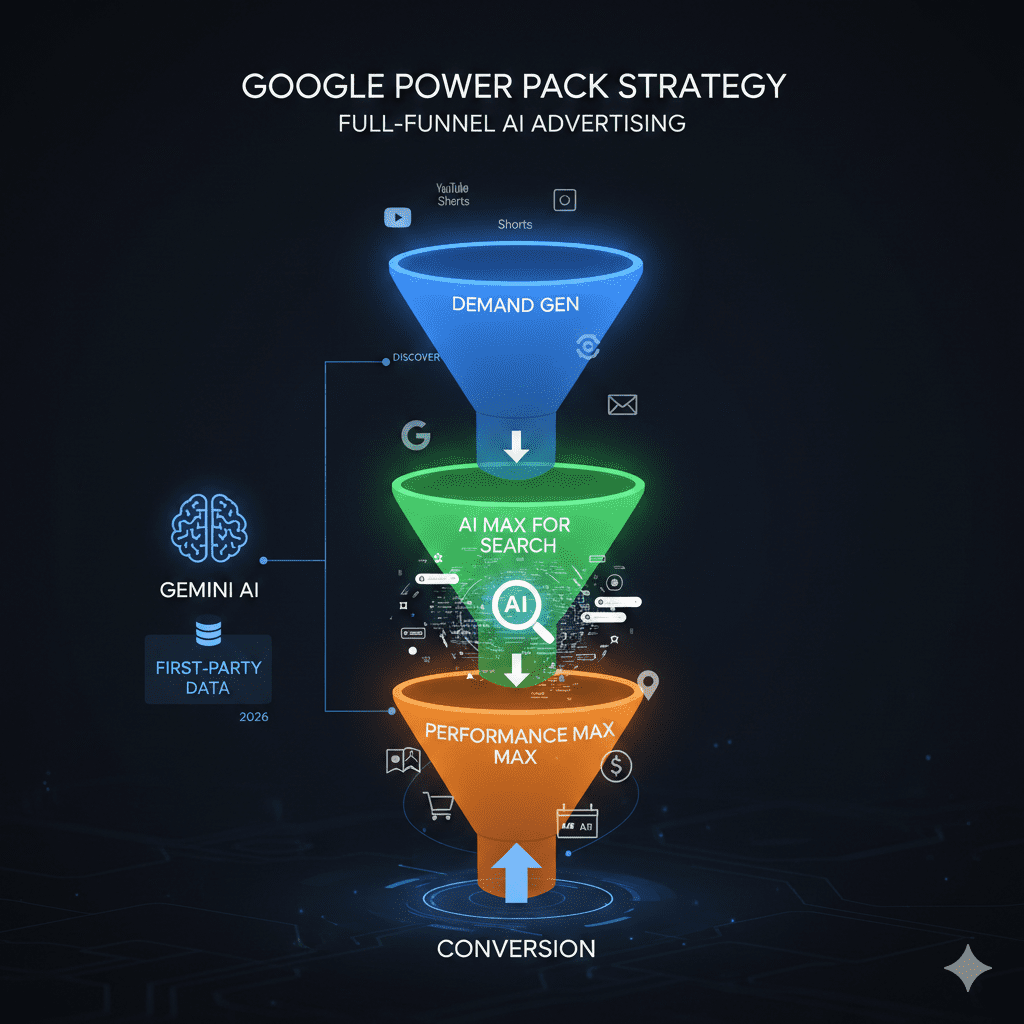
At Google Marketing Live in May 2025, Google officially introduced the Power Pack—a strategic framework designed to replace the Power Pair and fundamentally change how advertisers approach campaign structure. This represents one of the most significant Google Ads trends for 2026 and beyond.
What is the Power Pack?
The Power Pack consists of three interconnected campaign types working in harmony:
- Performance Max: Orchestrates full-funnel performance at scale across all Google properties (Search, Display, YouTube, Gmail, Discovery)
- Demand Gen: Builds awareness and interest in your products/services through visually-rich, immersive ad formats on YouTube, Discover, and Gmail
- AI Max for Search: Captures and converts user intent on Search using advanced AI and broad match technology
Real-World Performance Data
Early adopters implementing the full Power Pack strategy report:
- 25-35% increase in conversion rates compared to traditional campaign structures
- 18-27% reduction in cost per acquisition (CPA) within 60-90 days
- 40% broader reach across customer touchpoints
- Improved attribution clarity with combined full-funnel reporting
Implementation Strategy for 2026
Phase 1 (Weeks 1-2): Launch Performance Max with your best-performing products/services. Set conservative targets initially (150% of your current CPA target) to build learning data.
Phase 2 (Weeks 3-4): Add Demand Gen campaigns focusing on top-of-funnel awareness. Use video assets, product feeds, and lifestyle imagery that resonates with your target audience.
Phase 3 (Weeks 5-6): Introduce AI Max for Search features to existing Search campaigns. Enable Search Term Matching and Text Customization first, then gradually add Location of Interest and URL Expansion.
Pro Tip: Don’t launch all three simultaneously. The learning period for each campaign type is 2-4 weeks, and you need baseline data from each before optimizing the others.
2. AI Max for Search: Keywordless Targeting Revolution
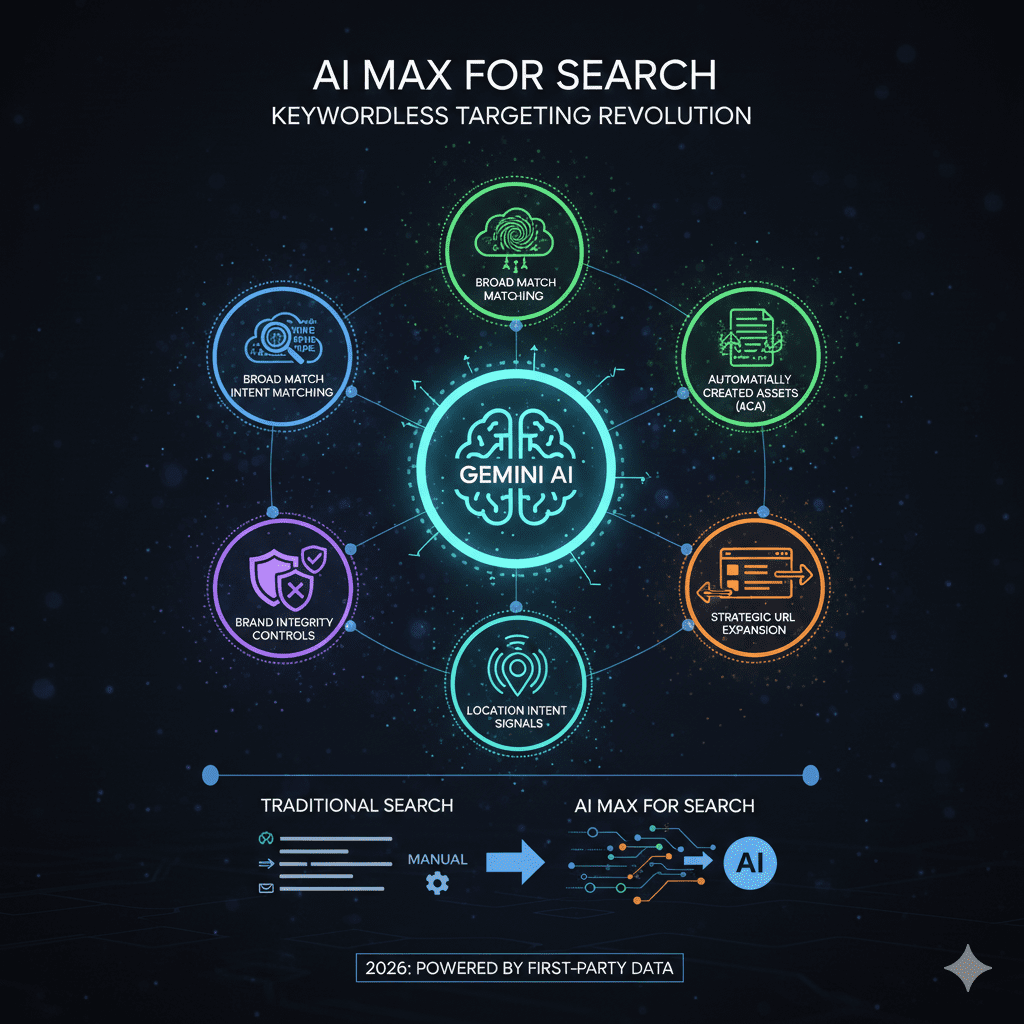
AI Max for Search isn’t a new campaign type—it’s a suite of powerful features that transform traditional Search campaigns into AI-driven intent-capture machines. This represents a fundamental shift in how we think about keyword targeting in Google Ads.
Six Core Features of AI Max for Search
1. Search Term Matching: Leverages broad match technology to discover high-intent queries you haven’t considered. Google’s AI analyzes search context, user history, and landing page content to match ads to relevant searches beyond your keyword list.
2. Locations of Interest: Expands targeting to users who have shown interest in your targeted locations, even if they’re not physically there. Perfect for businesses in tourism, real estate, or services targeting relocating customers.
3. Brand Settings: Control how your brand terms are used in automated ad copy and which competitor brands you can target. Includes brand exclusion lists and brand protection settings.
4. Text Customization: AI generates additional ad copy variations based on your seed headlines and descriptions, adapting messaging to match specific search queries and user contexts.
5. URL Expansion: Automatically directs users to the most relevant page on your website, even if it’s not the landing page you specified. Google’s AI analyzes page content and user intent to optimize destination URLs.
6. URL Rules: Set guardrails for URL Expansion by specifying which pages can or cannot be used as landing pages, maintaining control while benefiting from automation.
When to Use AI Max for Search vs. Traditional Search Campaigns
Use AI Max for Search when:
- You have a mature account with 50+ conversions per month
- You’re looking to scale beyond current keyword limitations
- Your website has comprehensive product/service pages for URL Expansion
- You’re comfortable with less granular control in exchange for broader reach
Stick with traditional Search campaigns when:
- You have limited conversion volume (less than 30 conversions per month)
- You require precise control over exact keyword targeting
- You’re in a highly regulated industry with strict messaging compliance
- Your landing pages aren’t optimized for automated traffic routing
3. Performance Max Transparency: From Black Box to Control Center
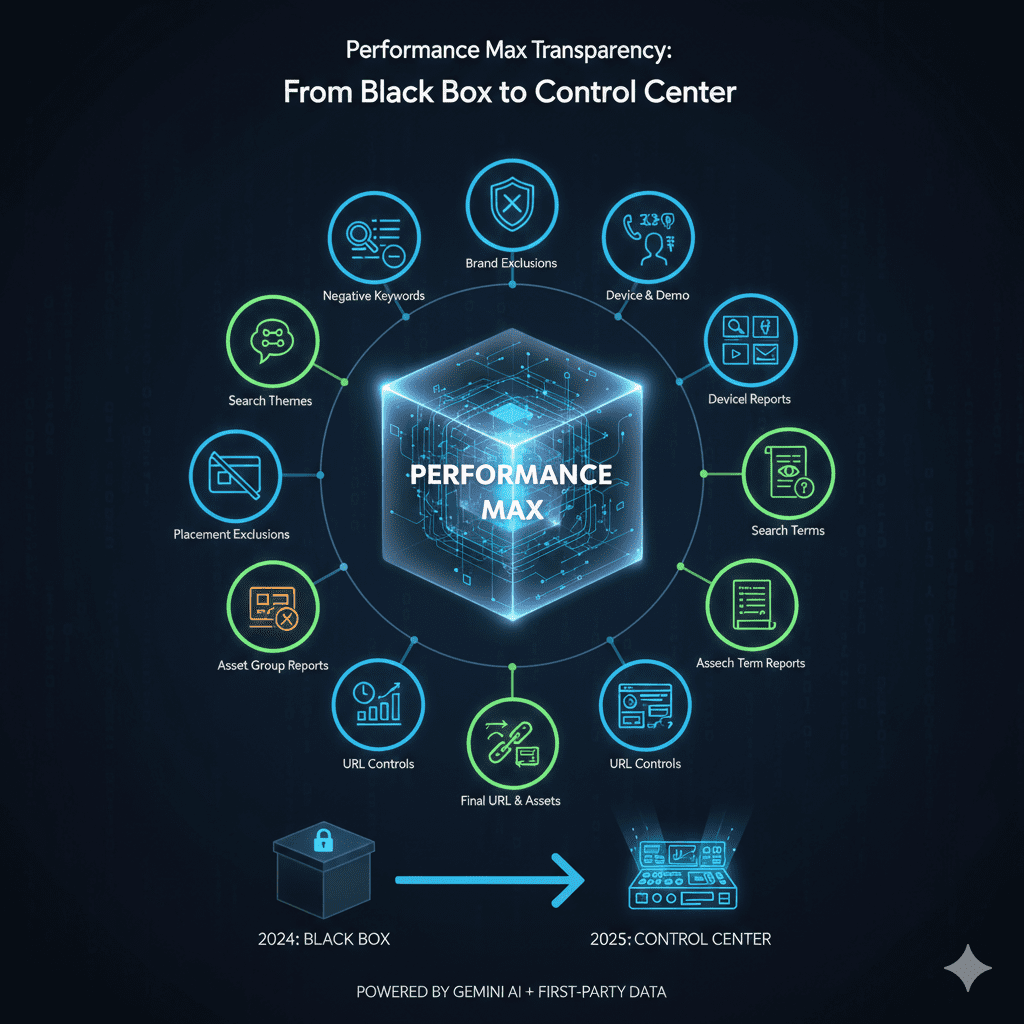
Performance Max has been the most controversial campaign type since its launch, often criticized as Google’s ‘black box’ due to limited visibility and control. That narrative changed dramatically in 2025 with the introduction of 10 major features that give advertisers unprecedented control and insight.
10 Game-Changing Performance Max Updates
1. Campaign-Level Negative Keywords
Finally! Add negative keywords directly to Performance Max campaigns without complex workarounds. This feature alone has reduced wasted spend by 15-30% for most advertisers by excluding irrelevant search terms.
Implementation checklist:
- Review search terms report weekly and add negatives for queries with 0% conversion rate
- Include common informational modifiers: ‘free,’ ‘DIY,’ ‘how to,’ ‘tutorial’
- Exclude competitor brand names unless you’re specifically targeting them
2. Brand List Exclusions
Prevent Performance Max campaigns from showing ads for your brand terms, allowing dedicated brand campaigns to capture this high-intent, low-cost traffic. This prevents internal cannibalization and improves overall account efficiency.
3. Device and Demographic Targeting Controls
Adjust bids by device type (mobile, desktop, tablet) and demographic segments (age, gender, household income). This is crucial for businesses with performance variations across device types or demographic groups.
Example application: A luxury retailer increased mobile bids by 30% after discovering their mobile conversion rate was 45% higher than desktop, resulting in a 22% increase in total conversions.
4. Channel Performance Reporting
See exactly how each Google property (Search, Display, YouTube, Gmail, Discover) contributes to campaign performance. This transparency allows you to identify which channels drive the best results and adjust asset groups accordingly.
5. Search Term Reporting
Access actual search queries that triggered your Performance Max ads. This data is gold for discovering new keyword opportunities, identifying negative keywords, and understanding customer intent.
6. Expanded URL Controls Beyond Page Feeds
Specify exactly which pages Google can use as landing pages, either by including specific URLs or setting exclusion rules. This prevents traffic from being sent to irrelevant or underperforming pages.
7. Enhanced Asset Group Reporting (Device & Time)
Understand which asset groups perform best on different devices and at different times of day. Use this data to create device-specific or time-based asset variations.
8. Final URL and Asset Reporting Expansion
See performance metrics for individual assets (images, videos, headlines, descriptions) and final URLs. This granular data helps you identify top performers and eliminate underperformers.
9. Placement Exclusions
Exclude specific websites, apps, YouTube channels, or video content where you don’t want your ads to appear. Essential for brand safety and preventing wasted spend on low-quality placements.
10. Expanded Search Themes
Guide Google’s AI by providing search themes—specific topics or themes relevant to your business. This helps the algorithm understand your offerings and match ads to more relevant queries.
4. High Value Mode: Optimizing for Customer Lifetime Value
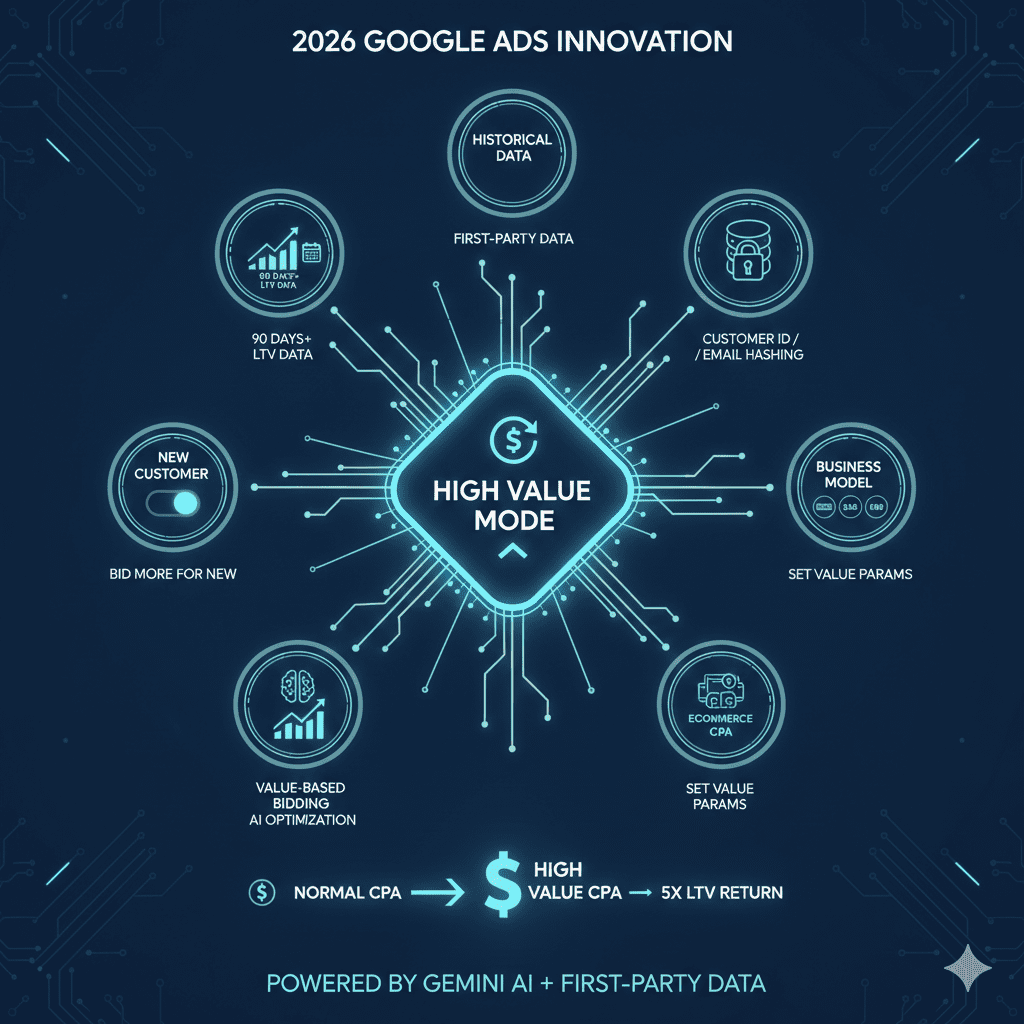
One of the most sophisticated Google Ads trends for 2026 is the introduction of High Value Mode in Performance Max campaigns. This feature recognizes a fundamental marketing truth: not all customers are created equal, and acquiring a high-lifetime-value customer justifies a higher initial cost per acquisition.
How High Value Mode Works
High Value Mode uses Google’s AI to identify potential high-value customers based on:
- Historical purchase patterns and frequency
- Average order value trends
- Customer demographic and behavioral signals
- Similar customer profiles in your conversion history
When the AI identifies a likely high-value customer, it automatically increases your bid—even beyond your normal target CPA or ROAS—because the long-term customer value justifies the higher acquisition cost.
Requirements and Setup
To use High Value Mode, you must:
- Enable ‘Bid more for new customers’ at the campaign level
- Have conversion tracking properly implemented with customer ID or email hashing
- Provide historical customer value data (minimum 90 days, ideally 12+ months)
- Set value parameters based on your business model (subscription, e-commerce, lead generation)
- Have sufficient budget to accommodate higher CPAs during the learning phase
Best Practices and Considerations
Who should use High Value Mode:
- Subscription-based businesses (SaaS, membership sites)
- E-commerce stores with clear repeat purchase patterns
- Service providers with documented client lifetime values
- B2B companies with long sales cycles and high customer LTV
Important caveat: High Value Mode typically increases your average CPA by 15-40% in exchange for customers with 3-5x higher lifetime value. This is a strategic trade-off that requires buy-in from stakeholders who understand LTV metrics over initial acquisition costs.
5. Smart Bidding Exploration: Calculated Risk for Growth
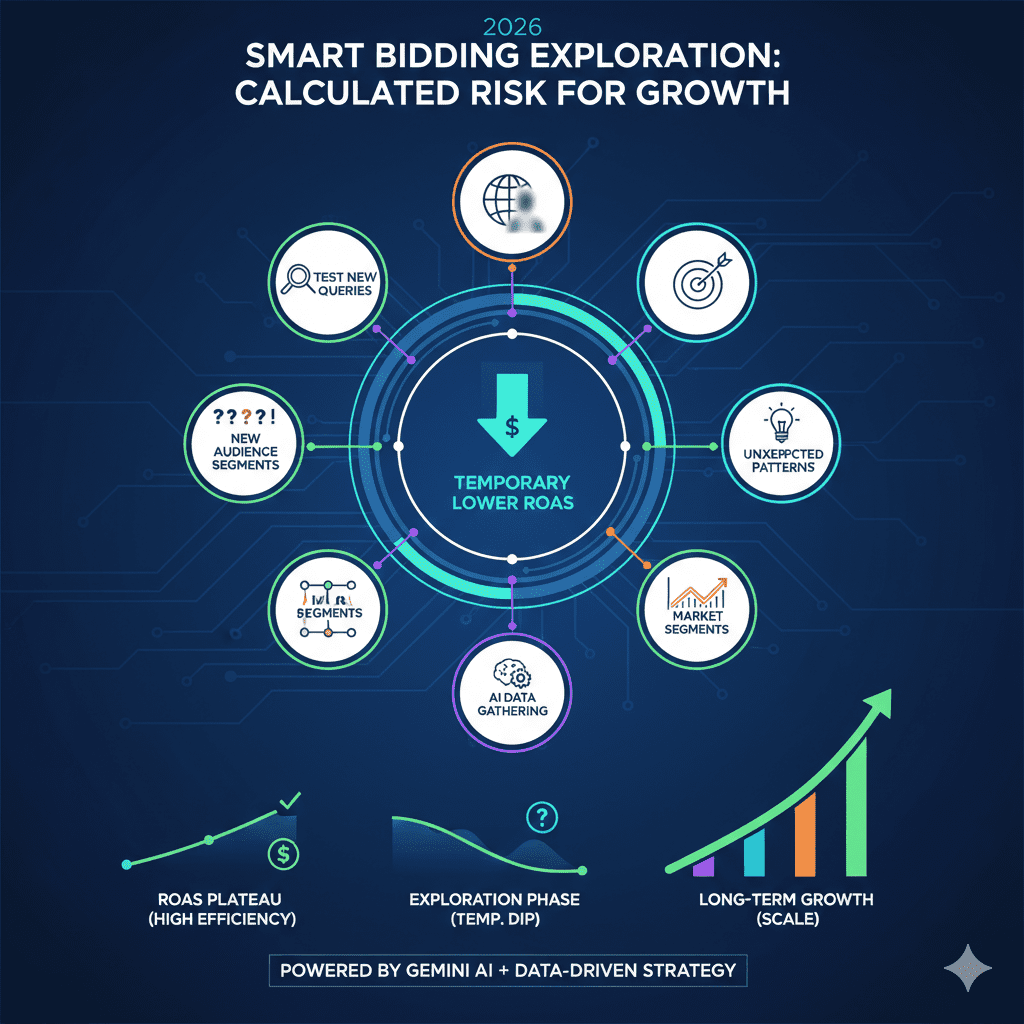
Smart Bidding Exploration introduces a fascinating concept: temporarily lowering your ROAS target to capture new customer segments and queries that wouldn’t qualify under your strict performance targets. Think of it as ‘strategic underperformance’ for long-term growth.
The Strategic Logic
Many high-performing accounts reach a plateau where they’re efficiently capturing their known audience but struggling to scale. Smart Bidding Exploration addresses this by:
- Testing new search queries with lower confidence scores
- Showing ads to audience segments outside your core demographic
- Experimenting with marginal placements that might convert
- Discovering unexpected conversion patterns in new market segments
The AI temporarily lowers your effective ROAS target (within limits you set) to win auctions you wouldn’t normally compete in, gathering data on whether these new audiences convert.
When to Enable Smart Bidding Exploration
Ideal candidates:
- Accounts consistently exceeding ROAS targets with extra budget available
- Campaigns with 200+ conversions per month (sufficient data for AI learning)
- Businesses with expansion goals prioritizing growth over efficiency
- Teams with stakeholder buy-in for temporary performance dips
Avoid if:
- You’re operating at or near breakeven ROAS
- Budget is extremely limited and every dollar must perform
- Your conversion volume is below 150 per month
- Leadership doesn’t understand or accept short-term ROAS fluctuations
6. Investment Strategy Tool: Data-Driven Budget Allocation
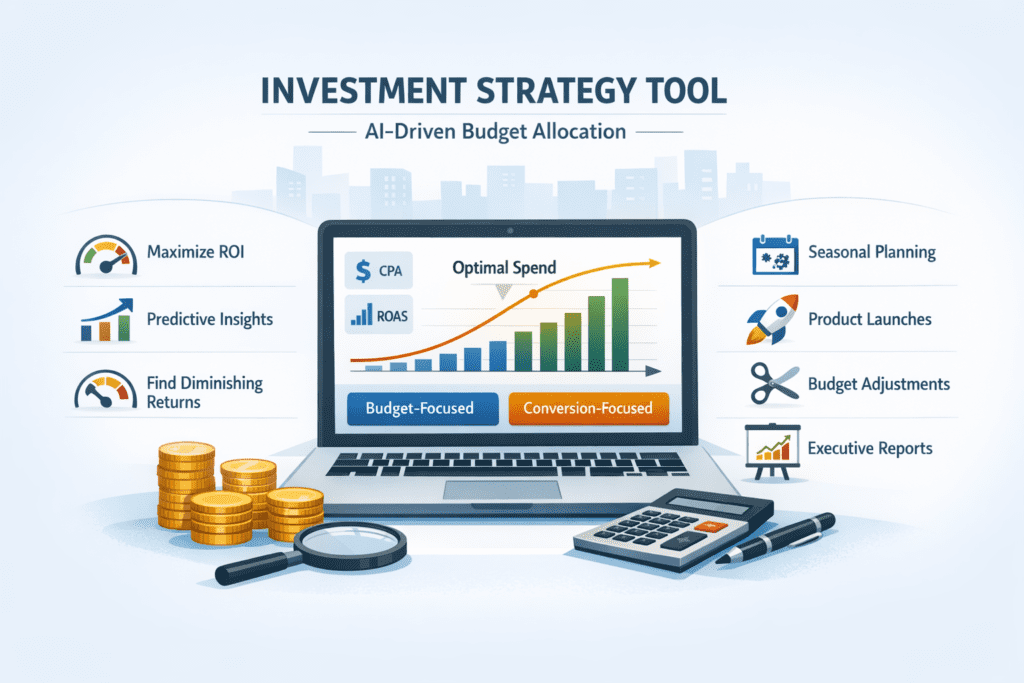
Currently in beta but rolling out through 2026, the Investment Strategy Tool answers one of advertising’s most persistent questions: ‘If I increase my budget, where should I spend it?’
What Makes This Tool Revolutionary
Unlike traditional budget planning that relies on historical performance and gut instinct, the Investment Strategy Tool uses AI to model:
- Which campaigns are currently budget-constrained
- The incremental conversion potential for each campaign
- Expected CPA or ROAS at different budget levels
- The point of diminishing returns for each campaign
How to Use the Investment Strategy Tool
You can approach the tool in two ways:
Option 1: Budget-first approach
Tell Google you have an additional $X per week to spend, and it shows you the most efficient allocation across campaigns to maintain your performance targets.
Option 2: Conversion-first approach
Specify you want Y additional conversions per week, and the tool calculates the required budget and optimal distribution across campaigns.
Example output: ‘To gain 50 additional conversions weekly while maintaining your current 500% ROAS, allocate $2,000 as follows: $800 to Campaign A, $700 to Campaign C, $500 to Campaign E. Campaigns B and D are not budget-constrained.’
Strategic Applications
- Seasonal planning: Model budget needs for Q4 or peak seasons months in advance
- Product launches: Determine optimal launch budget distribution
- Budget cuts: Identify which campaigns to reduce when facing budget decreases
- Board presentations: Show data-driven projections for increased marketing investment
7. Asset Studio: AI-Powered Creative Generation
Asset Studio, which began rolling out in August 2025, represents a democratization of high-quality ad creative. Using Google’s Imagen 4 for images and Veo for videos, Asset Studio generates professional-grade creative assets directly within the Google Ads platform.
Core Capabilities
Image generation: Create product shots, lifestyle images, background scenes, and abstract visuals from text prompts. The recent integration of Nano Banana 4 (a specialized image model) delivers higher quality and more controllable outputs.
Video generation: Generate short-form video ads (6-15 seconds) from text descriptions or static images. Perfect for Display, YouTube Shorts, and Demand Gen campaigns.
Image editing: Modify existing images—change backgrounds, adjust colors, add or remove elements, resize for different ad formats.
Variation creation: Generate multiple versions of an asset for A/B testing or to match different audience segments.
Practical Use Cases
Small businesses: Companies without design resources can now compete creatively with larger advertisers. No more stock photos or amateur designs.
Agencies: Rapidly prototype creative concepts for client approval before investing in professional production. Generate seasonal variations or locale-specific assets at scale.
E-commerce: Create lifestyle context images for products that were only shot on white backgrounds. Generate seasonal or holiday-themed variations without new product photography.
Testing programs: Generate 10+ creative variations in minutes to test different visual approaches, then invest in professional production for winners.
Limitations and Best Practices
Current limitations:
- Generated people may have unrealistic features or expressions
- Text within generated images can be garbled or misspelled
- Complex products may not render accurately
- Brand-specific styling requires careful prompt engineering
Best practice: Use Asset Studio for background scenes, abstract concepts, and supplementary assets. Continue using professional photography for hero shots, product close-ups, and any creative where brand consistency is critical. Always review AI-generated assets carefully before deployment.
8. Brand Guidelines: Maintaining Consistency in Automation
One of the most common objections to Google’s automation features has been: ‘But the ads won’t match our brand.’ Brand Guidelines, introduced in 2025, directly address this concern by giving Google’s AI guardrails to work within.
Visual Brand Guidelines
Control the visual consistency of auto-generated creative by specifying:
- Brand colors: Define primary and secondary color palettes with hex codes
- Typography: Specify approved fonts for headlines and body text
- Logo usage: Upload logo variations and specify placement preferences
- Visual style: Describe preferred aesthetic (minimalist, bold, playful, professional)
Text Guidelines (Expanded in Late 2025)
The more powerful feature is text customization guidelines, which control how Google’s AI generates and modifies ad copy:
- Tone and voice: Specify whether copy should be professional, casual, technical, friendly, authoritative, etc.
- Prohibited phrases: List specific words or phrases that should never appear (competitor names, controversial terms, superlatives your company avoids)
- Required terminology: Ensure specific product names or technical terms are used correctly
- Claim restrictions: Prevent AI from making claims your company can’t legally or ethically support
- Industry compliance: Specify regulatory requirements (healthcare disclaimers, financial disclosures)
Implementation Impact
Companies that implemented comprehensive brand guidelines report 70% reduction in ad disapprovals and 3x faster campaign launch times, as they no longer need to manually review and edit every AI-generated variation. This removes one of the biggest barriers to adopting Google’s automation features.
9. Responsive Search Ads Asset Report: Finally, Granular Testing
Responsive Search Ads have been frustratingly opaque since their introduction. While they promised optimization through machine learning, advertisers couldn’t see which specific headlines or descriptions were actually driving results. That changed in 2025 with the Responsive Search Ads Asset Report.
What You Can Now See
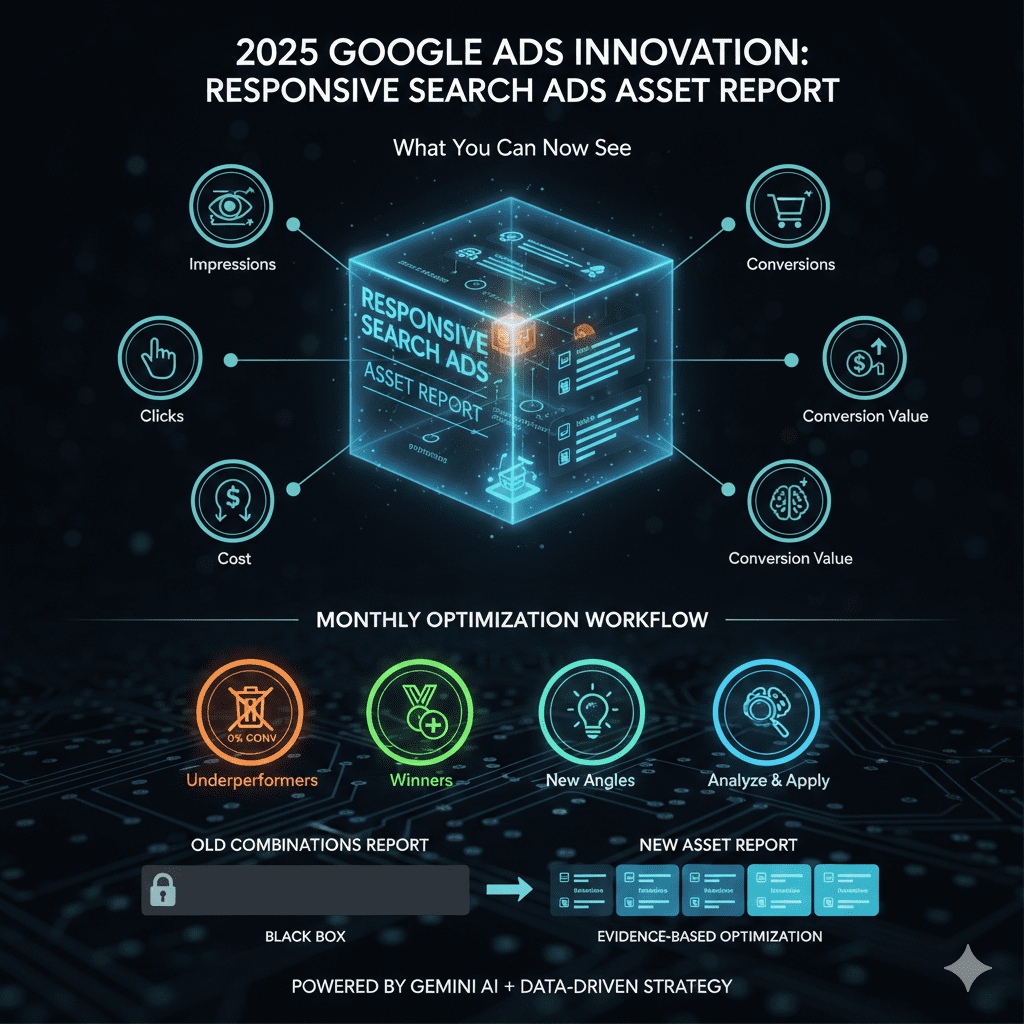
The asset report shows performance metrics for each individual headline and description:
- Impressions per asset
- Clicks per asset
- Conversions per asset
- Cost per asset
- Conversion value per asset
How to Use This Data for Optimization
Monthly optimization workflow:
- Identify underperformers: Remove or replace headlines/descriptions with CTR below 2% or zero conversions after 30 days
- Double down on winners: Create variations of high-performing assets to test similar messaging
- Test message angles: Add new headlines testing different value propositions or benefits
- Analyze patterns: Look for common themes in top performers (price focus, benefit-driven, urgency, etc.)
- Cross-campaign application: Apply learnings from best-performing assets across other campaigns
Example insight: A B2B SaaS company discovered that headlines mentioning ‘ROI’ and ‘time savings’ drove 3x more conversions than feature-focused headlines, leading them to shift messaging strategy account-wide.
Beyond the Combinations Report
The old Combinations report showed performance of asset combinations (Headline 1 + 2 + 3 together), which was interesting but not actionable—you couldn’t isolate which specific headline was driving results. The new asset report is revolutionary because it shows individual asset performance, enabling true evidence-based optimization.
10. Search Network Performance Reports: Partner Network Transparency
For years, the Search Partner Network has been a mysterious element of Google Ads. You could opt in or out, but you had no visibility into which partners were showing your ads or how they performed. The Search Network Performance report, released in 2025, finally provides this crucial transparency.
What the Report Reveals
Located in Report Editor under Content Suitability, the report currently shows:
- Individual search partner sites
- Impressions per partner
- Partner categories (general search, vertical search, video platforms)
Note: Currently the report only shows impressions, not clicks or conversions. While limited, this is still valuable data that didn’t exist before.
Strategic Applications
- Brand safety: Identify if your ads appear on partner sites that don’t align with your brand values
- Performance testing: Compare overall performance with Search Partners on vs. off to assess value
- Impression distribution: Understand if partners are receiving significant impression share
- Competitor intelligence: Discover which alternative search platforms your target audience uses
11. AI Overviews & AI Mode: Advertising in the Answer Engine Era
Perhaps the most significant shift in Google Ads trends for 2026 is how ads appear in AI-enhanced search experiences. As Google transforms from a search engine into an answer engine, advertising must adapt to this new paradigm.
What Are AI Overviews and AI Mode?
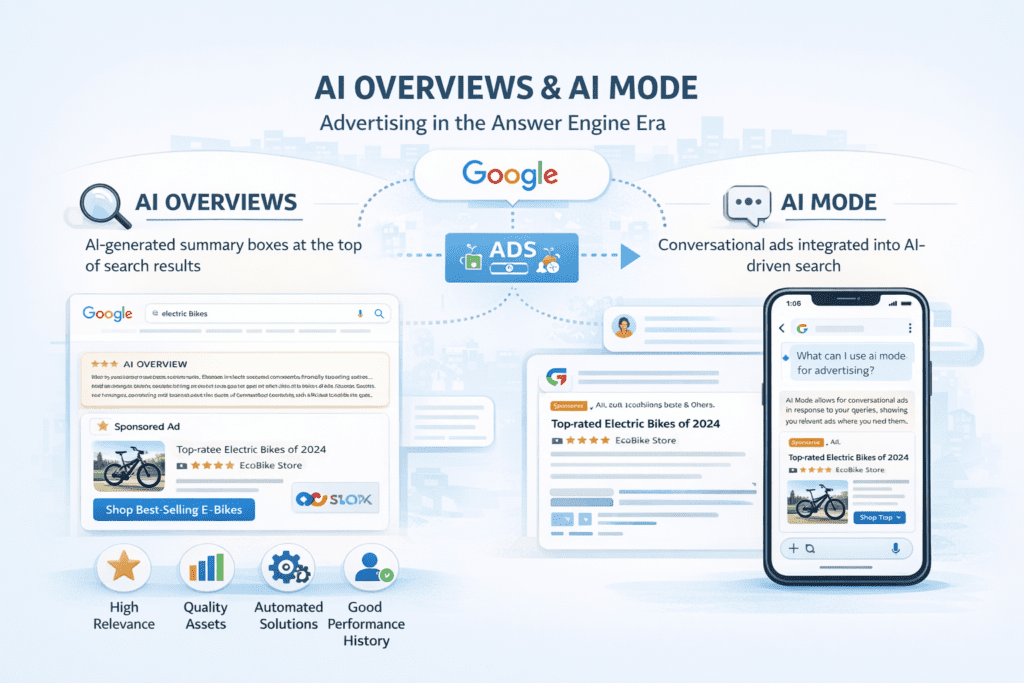
AI Overviews: AI-generated summary boxes appearing at the top of search results, synthesizing information from multiple sources to directly answer user queries.
AI Mode: A conversational search experience where users can have multi-turn dialogues with Google’s AI, asking follow-up questions and refining their queries naturally.
Both formats now support advertising, but the placement and requirements differ significantly from traditional search ads.
How to Get Ads into AI Placements
According to Google’s documentation, ads appear in AI Overviews and AI Mode when they meet these criteria:
- Use automated solutions: Performance Max, Demand Gen, or AI Max for Search campaigns are prioritized
- High relevance score: Ad must be relevant to both the query AND the AI-generated answer content
- Quality assets: Strong headlines, descriptions, images, and videos that complement AI content
- Contextual alignment: Landing pages must match the specific aspect of the query the AI overview addresses
- Strong performance history: Campaigns with proven high CTR and conversion rates are favored
Optimization Strategies for AI Placements
Content strategy: Landing pages should provide comprehensive answers, not just sales pitches. AI Overviews cite informative sources, so your page needs to be informative too.
Asset diversity: Provide multiple asset variations covering different aspects of your offering. AI selects which assets best complement its answer.
Question targeting: Optimize for question-based queries (how, what, why, when) as these trigger AI Overviews most frequently.
Informational intent: AI Mode is often used for research and information gathering. Position your ads as helpful resources, not hard sells.
Performance Expectations
Early data suggests AI Overview ad placements have 15-20% lower CTR than traditional search ads, but 25-30% higher conversion rates and 18% lower CPA. Users who engage with AI Overviews are typically deeper in their research process and closer to a purchase decision.
12. Enhanced Conversion Tracking: First-Party Data Privacy
With third-party cookies being phased out, enhanced conversion tracking using first-party data (email hashes, phone numbers) has become essential. Google improved integration with customer data platforms and simplified implementation through Google Tag Manager. This maintains conversion tracking accuracy while respecting privacy—critical as accuracy dropped 15-25% for advertisers not using enhanced conversions.
13. Video Action Campaigns Evolution: YouTube Shorts Integration
Video Action Campaigns now fully support YouTube Shorts, the platform’s fastest-growing format. Advertisers can target the 2+ billion daily Shorts viewers with action-focused ads. Early adopters report 40% lower CPAs on Shorts compared to traditional video placements, particularly effective for younger demographics and mobile-first audiences.
14. Local Campaign Enhancements: Driving Foot Traffic
Local campaigns received significant upgrades including store visit conversion tracking improvements, local inventory ads expansion, and integration with Google Business Profile insights. Retailers report 30% increase in attributed store visits, making these campaigns essential for brick-and-mortar businesses competing with e-commerce.
15. Audience Signal Optimization: Beyond Demographics
Google expanded audience signals beyond basic demographics to include interest affinities, purchase intent signals, and life events. Combined with first-party data integration, these signals help AI find your ideal customers more efficiently. Accounts using comprehensive audience signals report 20-35% improvement in target CPA achievement.
Your 2026 Google Ads Implementation Roadmap
With 15 major trends to consider, prioritization is critical. Here’s a quarter-by-quarter implementation guide:
Q1 2026 (January-March): Foundation
- Implement enhanced conversion tracking with first-party data
- Set up brand guidelines for consistent automation
- Review and optimize existing Performance Max campaigns with new controls
- Audit RSA assets and remove underperformers
Q2 2026 (April-June): Expansion
- Launch Power Pack strategy (Performance Max + Demand Gen + AI Max)
- Experiment with Asset Studio for creative generation
- Enable AI Max features on high-performing Search campaigns
- Test High Value Mode if applicable to your business model
Q3 2026 (July-September): Optimization
- Use Investment Strategy Tool for Q4 planning
- Optimize for AI Overview and AI Mode placements
- Consider Smart Bidding Exploration for mature campaigns
- Analyze Search Partner Network performance
Q4 2026 (October-December): Scale
- Scale winning strategies with increased holiday budgets
- Launch YouTube Shorts campaigns for gift-season targeting
- Leverage comprehensive audience signals for precision targeting
- Prepare 2027 strategy based on 2026 learnings
Frequently Asked Questions About 2026 Google Ads Trends
1. Should I completely replace traditional Search campaigns with AI Max for Search?
No. AI Max for Search works best alongside traditional Search campaigns, not as a replacement. Keep traditional campaigns for your highest-performing, most profitable keywords where you need precise control. Use AI Max for Search to discover new opportunities and scale beyond your core keywords. A hybrid approach typically delivers the best results—traditional Search captures 60-70% of budget for known performers, AI Max captures 30-40% for expansion.
2. Is Performance Max still worth using after all the 2025 updates?
Absolutely. The 2025 updates addressed nearly every major complaint about Performance Max. With campaign-level negative keywords, brand exclusions, device controls, search term reporting, and channel performance visibility, Performance Max is now one of the most powerful campaign types available. The previous ‘black box’ criticism no longer applies. For most advertisers, Performance Max should be a core component of their 2026 strategy, particularly as part of the Power Pack framework.
3. How much budget do I need to effectively test AI-powered features?
Minimum budget requirements vary by feature: For AI Max for Search features, allocate at least $1,000-2,000 per month to gather sufficient data. Performance Max campaigns need $2,000-5,000 monthly minimum, depending on your industry and average CPA. High Value Mode and Smart Bidding Exploration require mature campaigns already spending $5,000+ monthly with 200+ conversions. Demand Gen campaigns can start at $1,500-3,000 monthly. Don’t spread budget too thin—better to fully fund one or two initiatives than underfund multiple tests.
4. Will AI-generated ads from Asset Studio hurt my brand?
Not if used strategically. Asset Studio works best for supplementary creative assets—background images, lifestyle contexts, and testing variations—not for primary brand assets or hero creative. Always review AI-generated content before deployment, use brand guidelines to maintain consistency, and combine AI-generated assets with professional creative for best results. Think of Asset Studio as a creative assistant, not a replacement for your design team. Many brands successfully use Asset Studio for 40-60% of their assets while maintaining professional photography for critical brand touchpoints.
5. How do I optimize for AI Overviews when I can’t control what Google’s AI says?
Focus on what you can control: Create comprehensive, informative landing pages that could be cited in AI Overviews, even if you’re advertising. Use automated campaign types (Performance Max, AI Max) that are prioritized for AI placements. Optimize for question-based queries that trigger AI Overviews. Provide diverse, high-quality assets that can complement various AI-generated answers. Monitor which queries trigger your ads in AI Overviews and double down on those topics. The key is positioning your ads as helpful supplements to the AI-generated information, not competing with it.
Conclusion: Thriving in the AI-First Google Ads Era
The Google Ads landscape of 2026 looks dramatically different from just two years ago. AI and automation have moved from optional experiments to essential strategies. The 15 trends covered in this guide represent the most significant shift in digital advertising since the introduction of Quality Score.
The central theme? Strategic automation with intelligent control. Google is offering more automation than ever, but also more transparency and control than ever. The advertisers who succeed in 2026 will be those who embrace automation while maintaining strategic oversight—letting AI handle optimization and discovery while humans provide direction, brand governance, and strategic decision-making.
Three key takeaways as you implement these trends:
- Start with foundation, then expand: Don’t launch all 15 trends simultaneously. Build solid foundations (enhanced tracking, brand guidelines) before experimenting with advanced features (Smart Bidding Exploration, High Value Mode).
- Test incrementally: Allocate 20-30% of your budget to testing new features while maintaining 70-80% in proven performers. This balances innovation with stability.
- Measure what matters: With so many new metrics and reports available, focus on business outcomes (revenue, profit, customer acquisition) not vanity metrics (impressions, ad strength scores).
The Google Ads platform will continue evolving throughout 2026 and beyond. Bookmark this guide and revisit quarterly to check your progress against the implementation roadmap. Subscribe to Google Ads updates and join PPC communities to stay current on emerging trends and features.
Most importantly: Don’t let the pace of change paralyze you. Every trend in this guide started as someone’s experiment. Be willing to test, learn, and adapt. The advertisers who commit to continuous learning and strategic experimentation will be the ones who thrive in 2026 and beyond.
About the Author
Jayesh Goplani, Google Ads Strategist & Performance Marketing Expert
Jayesh Goplani is a certified Google Ads professional with over 10+ years of experience managing enterprise and mid-market PPC campaigns across diverse industries. He has optimized over $50 million in annual ad spend and specializes in AI-powered advertising strategies, performance marketing, and conversion rate optimization.
As the Manager of Paid Media at a leading digital marketing agency – Digital Aura, Jayesh has been at the forefront of testing Google’s AI-powered features since their beta releases.
Related Resources & Services
Need help implementing these Google Ads trends for your business? Our expert team specializes in:
- Google Ads Management Services – Full-service campaign management with AI optimization
- Performance Max Campaign Setup – Expert implementation with comprehensive controls
- PPC Audit & Strategy Services – Comprehensive account reviews and optimization roadmaps
- Conversion Rate Optimization Services – Enhanced conversion journey with expert recommendations